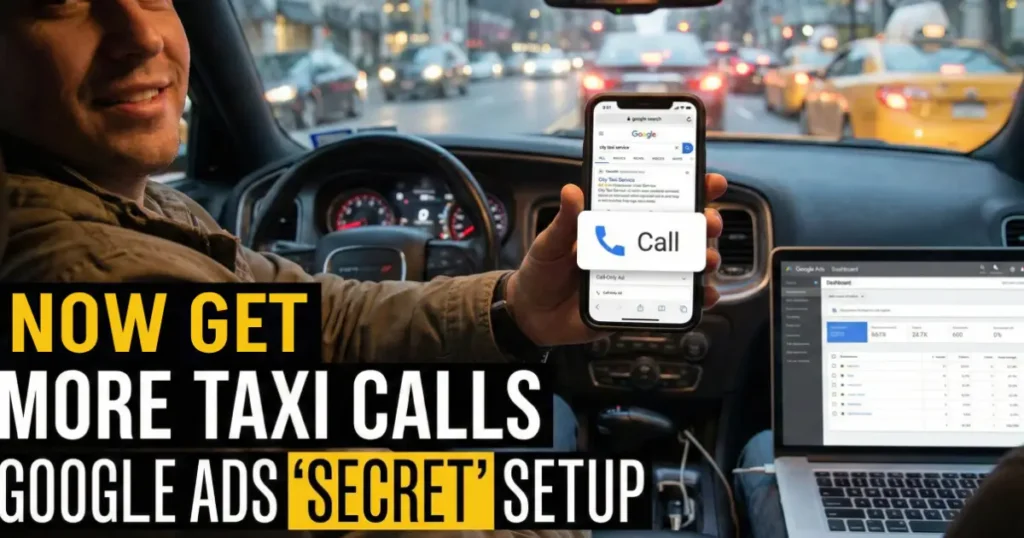
You know that sound. The ring of your business phone isn’t just a noise; it’s the sound of your next fare, your next payment, your business thriving. In the competitive world of taxi and ride-hailing services, every missed call is a missed opportunity.
So, how do you get more of those rings without constantly increasing your advertising budget? The answer isn’t just spending more, it’s spending smarter. You need to create the shortest, most direct path from a potential customer’s search to your phone.
In this guide, we’re going to build that exact path using one of the most powerful, yet often overlooked, tools in Google Ads: Call-Only Ads. This isn’t a vague strategy; it’s a step-by-step blueprint to turn Google searches into direct phone calls.
The Core Strategy: More Calls, Less Cash
For a local taxi business, the perfect customer is someone on their phone, right now, searching for a ride. They aren’t browsing websites for fun; they need a solution immediately. The goal is to meet them in that exact moment with the simplest possible action: a one-tap phone call.
This is where Call-Only Ads shine. Think of them as a direct hotline from Google’s search results straight to your phone. These ads have one job: to generate phone calls. They don’t send people to a website. They don’t have complex forms. With a single tap, a searching customer is connected to you, ready to book a ride.
This simplicity is your superpower. You eliminate every barrier between a customer’s need and your service. They search for “taxi near me,” they see your ad, and boom, they’re talking to your dispatcher. It’s the fastest way to convert a search into a booking.
Step 1: Laying the Foundation – Campaign Setup
Let’s roll up our sleeves and build this campaign from the ground up. Pay close attention here, as these initial settings are the foundation of your entire campaign’s success.
Let’s roll up our sleeves and build this campaign from scratch. Pay close attention here, as these initial settings are the foundation of your entire campaign’s success.
- Create a New Campaign: Log into your Google Ads dashboard and click the “+ New Campaign” button.
- Choose Your Goal (The Critical First Choice): Google will suggest various goals, such as “Sales” or “Leads.” Ignore these. For total control, you must select “Create a campaign without a goal’s guidance.”
- Select Your Campaign Type: Since customers are actively searching for you, choose “Search” as your campaign type.
- Set Your Bidding Strategy: We’re focusing on calls, and every click on this ad is a call. Therefore, select “Clicks” as your bidding focus. You’ll then see the term “Max CPC” (Maximum Cost-Per-Click).
- What is Max CPC? This is your personal price cap. It’s the absolute maximum amount you’re willing to pay each time someone clicks (calls) your ad. Setting this yourself prevents Google from overspending and gives you ultimate budget control.
- How to Set Your Max CPC: Don’t guess this number. Use Google’s free Keyword Planner tool. For a search like “cab booking in Indore,” the tool might show a competitive bid of around ₹40. Using real, local data from the start is your secret sauce for efficient spending.
Step 2: Laser-Targeting Your Perfect Customers
Your campaign is set up, but now we need to aim it like a laser. The goal is to spend every single rupee on customers who are ready to book, not on random internet users.
The Money-Saving Tip: Networks
By default, Google will automatically check two boxes: “Search Partners” and “Display Network.” You must uncheck both.
- Why? The “Display Network” shows your ads on websites and apps, targeting people who might not be actively looking for a taxi. The “Search Partners” network is less controlled. You want your ad to appear only when someone is actively typing a query into Google.com. That’s your high-intent customer.
Pinpointing Your Location
For a taxi business, location is everything. You’ll see two main options:
- Presence: Targets people physically located within your city.
- Presence or interest: This is the pro move. It targets people in your city, plus people outside your city who are searching for your city. This captures tourists planning their trip and business travelers arranging transport. You get immediate and future customers simultaneously, a genuine game-changer for maximizing your reach.
Step 3: The “Secret” Workaround to Unlock Call-Only Ads
This is the step that frustrates most people. It’s a quirky, hidden part of the process, but knowing it is the key to the entire strategy.
Here’s what happens: You follow all the steps, feeling good, and get ready to create your Call-Only ad. But you look everywhere, and the option is nowhere to be found. All you see are options for regular text ads.
The Secret: For some reason, Google hides the Call-Only ad option during the initial campaign setup. You must first publish a basic campaign before the feature becomes available.
Don’t worry; it’s a simple three-step dance:
- Skip the Ad Creation: When Google prompts you to add keywords and write your first ad, skip it all. You can even delete the default ad group it creates.
- Set Your Budget and Publish: Set your daily budget and click “Publish Campaign.” You are now publishing a blank, but properly configured, search campaign.
- Re-enter and Create: Go back into the campaign you just created. Now, when you click to create a new ad group, the magical “Call Ad” option will be right there, waiting for you.
Phew! With that hurdle cleared, we can finally get to the exciting part.
Step 4: Crafting Your Money-Making Ad
Now, we choose the keywords that trigger your ad and write the text that convinces people to call.
Choosing Your Keywords: Spear Fishing, Not Net Fishing
Think of keyword selection like fishing. You have two main approaches:
- Broad Match (The Giant Net): Catches a wide variety of searches, including many irrelevant ones that waste your budget.
- Phrase Match (The Spear): This is what you want. It targets specific, relevant searches. For example, using phrase match for “taxi service Indore” ensures your ad only shows for searches that include that exact phrase or close variations. This guarantees you’re only paying for highly relevant, local customers.
Keyword Ideas for Your Taxi Business:
- “taxi near me”
- “cab service [Your City]”
- “airport taxi [Your City]”
- “book a taxi [Your City]”
- “24/7 taxi service”
Writing Your Call-Only Ad
Your ad copy needs to be direct, compelling, and action-oriented. Remember, the phone number is the star of the show.
- Headlines (Be Direct): Use your limited space to state exactly what you do.
- Example: Local Taxi Service | 24/7 Rides
- Descriptions (Showcase Your Value): Use the two description lines to highlight what makes you the best choice.
- Example Line 1: Reliable, Clean & Affordable Cabs.
- Example Line 2: Instant Booking. Call Now to Book Your Ride!
- Call to Action: The entire ad is a call to action, but reinforce it. Use phrases like “Call Now,” “Book Your Ride,” or “Get a Quote.”
Pro Tip: If you’re stuck for ideas, use an AI tool like ChatGPT to brainstorm different headline and description combinations. Just prompt it with, “Give me 5 Google Ads call-only ad variations for a local taxi company.”
The Final Choice: To Track or to Trust?
You have one final setting to configure: Call Reporting.
- Call Reporting ON: Google uses a unique, random forwarding number to track every call. This gives you data on call length, time of day, etc.
- Call Reporting OFF: Your ad displays your actual, familiar business phone number.
This is a trade-off between data and trust.
The Expert Recommendation from Initme Media:
We recommend turning call reporting OFF. The reasoning is beautifully simple: You’ll know the campaign is working because your phone will be ringing.
Furthermore, when a local customer sees a genuine local number they might recognize, it builds immediate trust and confidence, making them more likely to call. That local presence is invaluable for a community-based business like a taxi service.
Your Direct Hotline is Ready
And there you have it. You’ve just built a lean, focused, and powerful call-generating machine. This isn’t a bloated campaign trying to do everything. It’s a precision tool designed for one purpose: to get direct calls from customers who need a ride right now.
The strategy is laid out. The campaign is built. The path from Google Search to your ringing phone is live.
The only question left is: Are you ready to start answering it?
About Initme Media Inc.
Initme Media Inc. is a Digital Marketing and Website Development company based in India. We specialize in creating clear, effective, and results-driven marketing strategies for businesses that want to grow, not just spend. If you’re ready to transform your online presence and connect directly with your customers, [contact us today] to learn how we can help.